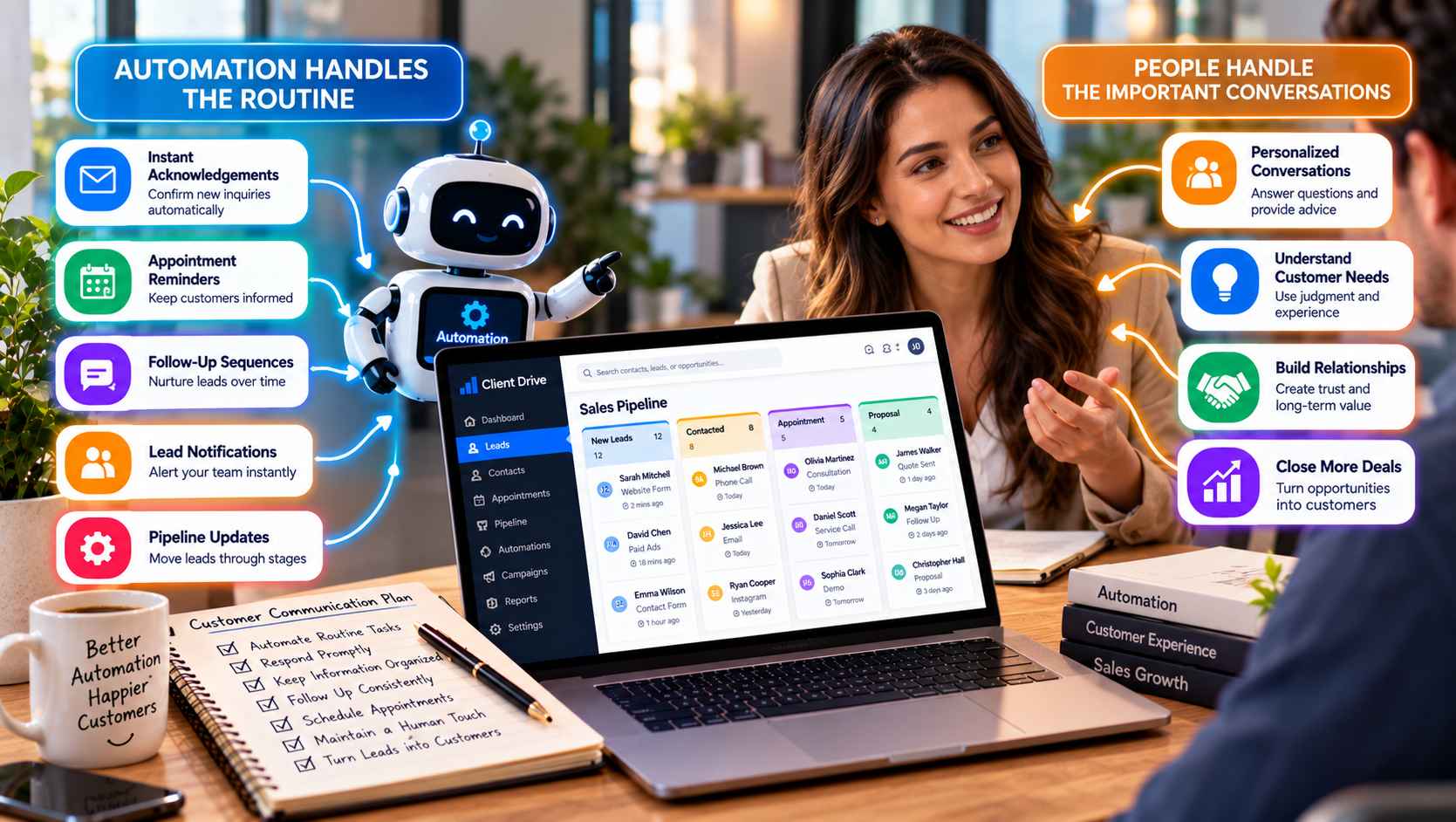
Automation can make customer communication faster and more organized, but speed is not the same as good communication. A perfectly timed message can still feel unhelpful if it is irrelevant, repetitive, or clearly written without the customer’s situation in mind.
The most effective approach is often a combination of technology and human involvement. Businesses can automate predictable tasks such as confirmations, reminders, notifications, and routine follow-ups while keeping people involved when a customer needs advice, empathy, clarification, or a personalized response.
The goal is not to automate every conversation. It is to remove unnecessary administrative work so employees have more time for conversations that actually require them.
What Business Communication Can Be Automated
Many customer interactions follow predictable patterns. That makes them suitable for automation.
For example, when someone submits a contact form, an automated acknowledgement can confirm that the inquiry was received. A business can then create a task for a team member to review the request and respond personally.
Other useful examples include appointment reminders, confirmation emails, follow-up messages, lead notifications, and internal alerts when a prospect reaches a particular stage.
Automation can also help with lead nurturing. Someone who downloads a guide or requests information may not be ready to purchase immediately. A carefully planned sequence can provide useful information over time without requiring an employee to manually send every message.
The important distinction is between repetitive communication and relationship-based communication. The former can often be automated. The latter usually benefits from a person being involved.
Why Immediate Follow-Up Can Be Useful
A customer who has just contacted a business may reasonably expect confirmation that their message arrived.
An automated response can provide that reassurance immediately, even if the appropriate employee is not available at that exact moment.
For example, a consulting company could send an acknowledgement after someone requests a consultation. A home service business might confirm receipt of a service inquiry. An agency could explain what information the prospect should expect next.
The message does not need to pretend that a person has already reviewed the request. In fact, clarity is often better.
A simple message such as “We’ve received your request and a member of our team will review it” can establish expectations without creating a false sense of personal interaction.
That first automated touch can then be followed by a genuine human response.
Where Automation Should Stop
Automation becomes less useful when a customer’s situation requires judgment.
Consider someone asking a complicated question about a professional service. Sending three automated emails may be less valuable than having an experienced employee understand the situation and respond directly.
The same applies when a customer is unhappy, confused, negotiating a significant purchase, or asking for advice that depends on their individual circumstances.
Businesses should therefore establish clear boundaries.
Automation can handle the predictable steps, while people take over when the conversation becomes more complex.
This approach also helps prevent customers from feeling trapped inside an automated system. A useful workflow should make it easy for a person to intervene rather than forcing every interaction through a predefined sequence.
Keep Customer Information in One Place
Human communication becomes much easier when employees have access to the right context.
If a customer has already submitted a form, exchanged several emails, booked an appointment, and spoken with a salesperson, the next employee should not have to ask the customer to explain everything again.
A CRM can help organize this information by keeping customer records, communication history, sales activity, and follow-up tasks connected.
For businesses that want to combine customer relationship management with lead generation and marketing activity, Client Drive provides an example of a platform built around connected CRM and lead-generation workflows.
The technology does not replace good customer service. It simply gives employees a clearer picture of what has already happened.
That context can make human conversations more relevant and less repetitive.
Use Automation to Support, Not Replace, People
The best automation usually works quietly in the background.
An employee may receive a notification when a new lead arrives. A follow-up task may be created automatically. A reminder may appear before a scheduled appointment. A pipeline stage may update after a particular action.
None of these activities needs to become the customer’s main experience.
Instead, they help employees stay organized.
For example, a sales representative might receive an alert when a prospect completes a consultation request. The system can provide the contact’s previous interactions, but the representative can decide how to approach the conversation.
This is an important distinction. Automation can provide timing and context, while the employee provides judgment and personality.
HubSpot’s explanation of CRM automation similarly describes automation as a way to handle repetitive relationship-management tasks such as lead assignment and follow-up while reducing manual work.
Make Appointment Scheduling Easier
Scheduling is another area where automation can remove unnecessary friction.
Back-and-forth emails about availability can consume time for both the customer and the business. A scheduling system can allow a prospect to choose from appropriate available times while automatically creating reminders.
But scheduling should still connect to the broader customer process.
The business should know why the appointment was created, what service or product the customer is interested in, and what information has already been provided.
That way, the person entering the meeting is prepared rather than starting from scratch.
For higher-value services, automated scheduling can also be combined with a qualification step. A short form can collect basic information before the appointment, allowing the employee to prepare for a more productive conversation.
Build a More Consistent Follow-Up Process
One of the biggest advantages of automation is consistency.
Employees can be busy. A lead can arrive outside normal working hours. Someone can forget to send a reminder or follow up after a conversation.
A structured system can reduce the likelihood of these routine steps being overlooked.
For example, a business might create a workflow where a new inquiry receives an immediate acknowledgement, a staff member receives a notification, and a follow-up task is created if no activity is recorded after a certain period.
The exact workflow should depend on the business.
A professional services firm may need a slower, more personal process than a company selling a simple product. A local service provider may prioritize phone calls, while an online business may rely more heavily on email.
Automation should support the actual customer journey rather than forcing every customer into the same sequence.
When an Automated CRM Can Help
As a business grows, customer communication can become difficult to manage across separate inboxes, spreadsheets, calendars, forms, and messaging platforms.
An integrated CRM can bring more of these activities into a shared environment.
For example, Client Drive’s CRM and communication platform can be considered by businesses looking for a more organized way to connect lead management, customer information, and sales and marketing activity.
The value of a system like this depends on how thoughtfully it is configured. A business still needs clear rules about which messages should be automated, which leads require personal attention, how customers move through the sales process, and when employees should intervene.
Technology works best when it supports a well-designed process.
Keep the Human Element Visible
Customers generally do not object to automation simply because automation is being used. The problem usually comes when communication feels irrelevant, excessive, or difficult to escape.
A useful automated experience should be timely, transparent, and connected to something the customer actually did.
At the same time, customers should be able to reach a real person when their situation requires one.
Businesses can therefore think of automation as the infrastructure behind customer communication rather than the replacement for it. Confirmations, reminders, notifications, scheduling, and routine follow-up can happen automatically, while people focus on questions, decisions, relationships, and situations that require understanding.
When those two sides work together, businesses can become more responsive without making their customer experience feel robotic.